Make your terminal nice
Compared to a lot of command line experts, I am not a fast computer user. I've just never equated second-by-second speed with productivity. I don't know all the vim/emacs shortcuts. I don't create aliases and scripts for everything, or shorter git commands, I just type things out. I'm not quite at the speed of "press backspace over and over to delete a whole line", but I'm not far off.
However, there are two things I've found really help me on the command line. I think a lot of my open source friends will be familiar with these, but at work I've noticed that even the experienced devs rarely have them. I'm talking about using a nicer prompt (Starship), and using a nicer shell (Fish). Here's a demo of them both from Starship's site:
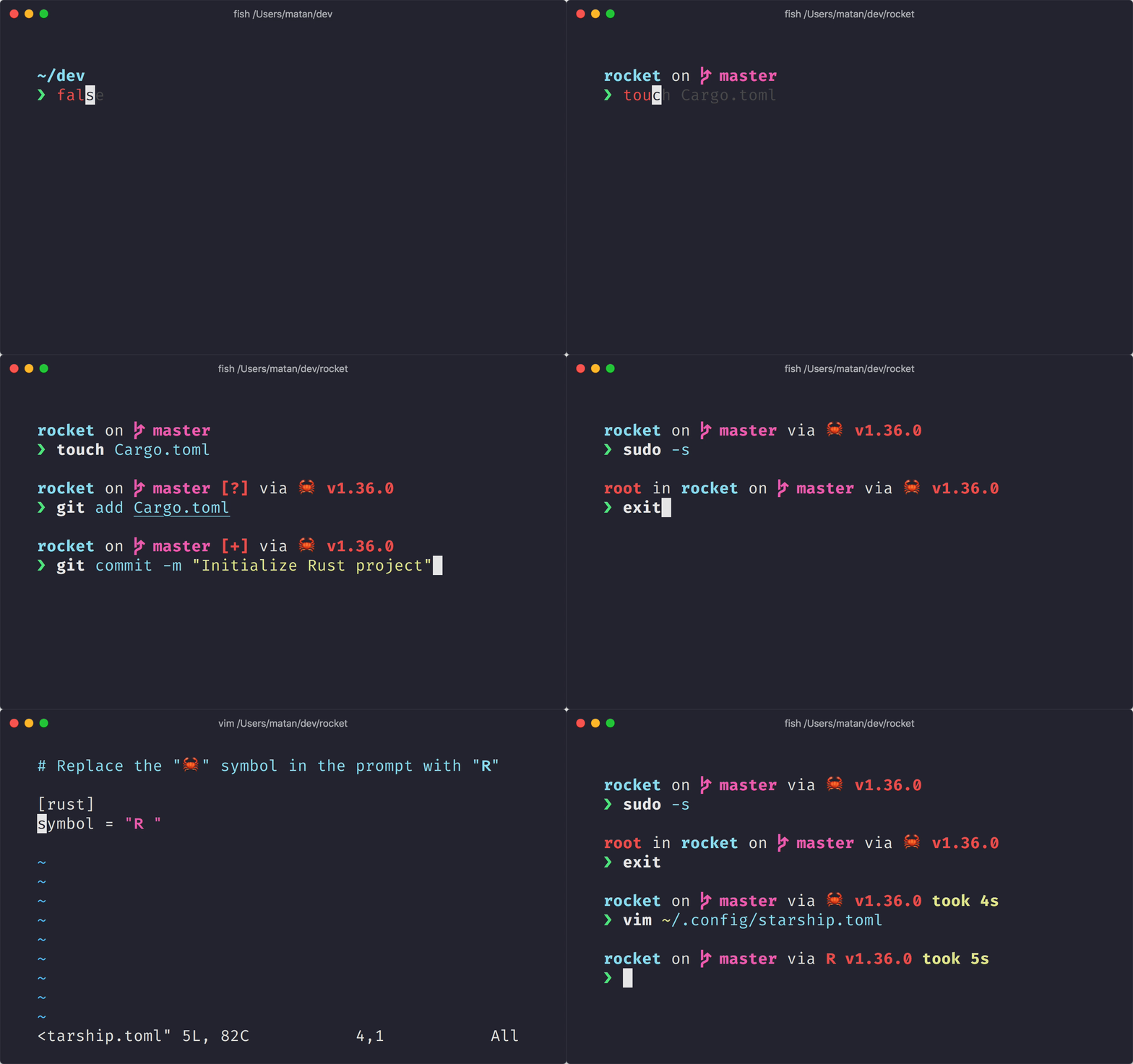
The nicer shell is Fish. Previously, I thought the nicer shell was Zsh (compared to Bash), and it is. But Fish wins because it has all the nice features you'll get through plugins with Zsh, built in instead. The number one feature for me is how it handles completions, basing them on the directory contents, command parameters, and history, and showing you suggestions even before you press tab. In most terminals you can press up and down to cycle through history, but in Fish you can type part of a command then cycle only through history that starts with what you've typed. This partial history search has saved me so much time. You install it, configure it as your shell (chsh), and you're done.
The nicer prompt is Starship. It adds essential info with a bit of color, such as directory, git status, language, and package version, all based on whatever project directory you're in. It works in any shell you're likely to use. It requires zero configuration. You install it, point your shell config at it, and you're done.
There are plenty of other cool developer tools for working in the command line. Look around and experiment! Starship and Fish are the two that I guarantee will be easy, nice, and unobtrusive. Start with them and go from there!